On 13 October 2026 NVIDIA open-sourced the full Run:ai platform under Apache 2.0: the control plane, the cluster components and the scheduler that decides who gets which GPU. Until then, learning Run:ai meant a licence and a cluster. Now anyone can run it.
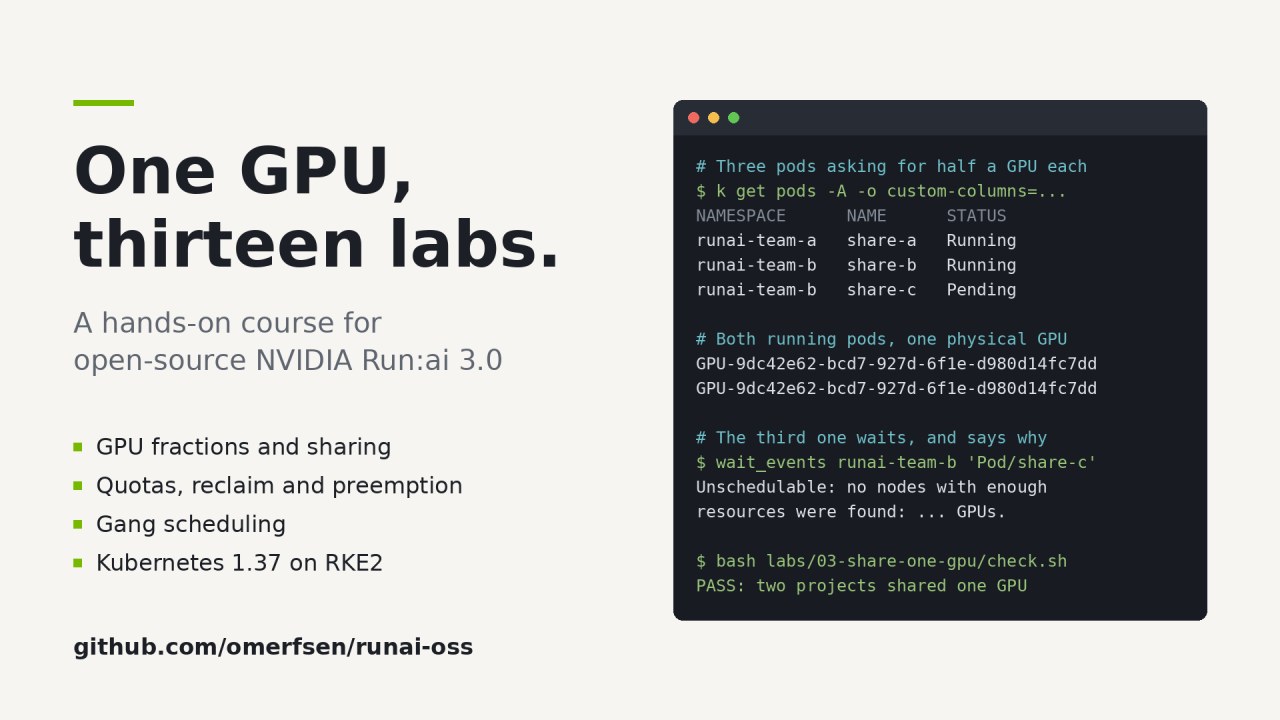
I wanted to know how it really behaves, not how the slides say it behaves. So I built a complete Run:ai installation on one workstation with one GPU, wrote thirteen labs around it, and recorded a narrated video for each. Everything is open: https://github.com/omerfsen/runai-oss
This article is about what it took, and what the cluster taught me that the documentation did not.
The setup
One workstation: 24 cores, 92 GB of RAM and a single RTX 4080 SUPER with 16 GB.
The main track runs two Rocky Linux 10.2 virtual machines on RKE2, Kubernetes 1.37. The GPU is passed through to one VM, which becomes a dedicated GPU node: a check in the playbooks fails if anything other than GPU work or a DaemonSet ever lands on it. The NVIDIA GPU Operator builds the driver inside that VM. Prometheus, cert-manager and Run:ai 3.0.20 run on the other node. Every piece is installed by Ansible, every version is pinned, and every playbook reports zero changes when you run it a second time.
There is also a lighter track on k3d, Kubernetes in Docker, for machines that cannot pass a GPU through to a VM. Both tracks run the same labs.
One GPU sounds like a limitation. It turned out to be the best teaching tool. With two teams owning half a card each, every scheduling decision is visible: who borrows, who waits, who gets evicted.
Lesson 1: the GPU can disappear on its own
Before any Kubernetes, the workstation lost its GPU. nvidia-smi could not talk to the driver, although the driver was installed and had worked for weeks.
The first suspect was an earlier project that had passed the card through to a VM. It was not the cause. The answer was in the kernel log of one specific boot: “Loading of module with unavailable key is rejected”. Secure Boot only loads signed kernel modules. The NVIDIA module had been signed with a local key, and a firmware change had quietly removed that key from the firmware’s list.
The fix was to stop signing locally and use the driver modules Canonical signs itself. Then the next kernel booted without a network card, because it had been installed as a dependency without its extra modules package.
Lesson: read the log of the boot that failed, not the one you are in. And prefer signatures you do not have to manage.
Lesson 2: read the source, not the guide
My install guide said Run:ai supports Kubernetes 1.34 to 1.36 and GPU Operator up to 26.3. The source repository said 1.35 to 1.37, and 26.7.1, which GPU fractions actually require. The guide named the scheduler kai-scheduler; the code names it runai-scheduler. Whole resource types from the guide had been removed in 3.0.
Every version in the course is now taken from the support matrix in the source, and each claim in a lab was measured on the cluster first.
Lesson 3: a passing test is not a working feature
Early on, a TensorFlow test pod reported Succeeded. Its log said “Num GPUs Available: 0”. TensorFlow had run on the CPU, and the test passed because it only printed.
The official TensorFlow GPU image ships the wrong version of cuDNN for the TensorFlow inside it, so TensorFlow quietly falls back to the CPU. Since then, every test and every lab in the course asserts its result and fails when the feature misbehaves. A test that only prints is not a test.
Lesson 4: when the cluster and the docs disagree, teach the cluster
Four of the thirteen labs found a gap between the documentation and what Run:ai 3.0.20 actually does. Two examples:
- A plain Kubernetes Job is documented as high priority and non-preemptible. On the cluster it is scheduled as low priority and preemptible. That matters, because it is exactly what lets a Job borrow idle GPUs, and lose them again.
- Asking for 4096 MiB of GPU memory can leave a pod Pending forever. The scheduler rounds the request to a whole percentage of the card, 26 percent here, and Run:ai’s own admission webhook then refuses the mismatch. 4094 MiB, exactly a quarter of this card, works. The lab shows the error and how to read it.
Where the cluster and the docs disagree, the labs teach what the cluster does, and say so.
Lesson 5: security hardening can break the feature you came for
On the RKE2 track every GPU-fraction lab failed. Inside a pod with half a GPU there was no GPU device at all.
Fractional pods do not request a GPU in the usual way. Run:ai’s fractioning layer tells the NVIDIA runtime which GPU to give the container through an environment variable. RKE2’s recommended GPU Operator setup tells the runtime to ignore that variable from unprivileged pods, a sensible hardening that stops a pod from grabbing a GPU it was not given. With it, fractions cannot work. On k3d the default allowed it, which is why the same labs passed there.
The course turns the setting back on and documents the trade-off next to it. Knowing which hardening a feature depends on is part of running it.
Lesson 6: green is not the same as right
The last lesson came from the recordings. Every lab ends with a self-playing solution: a script that types the lab’s commands at reading speed and runs them for real. All of them ran green, and they were still wrong.
An independent reviewer, who had not written the code, found what a passing run hides. kubectl get exits successfully when the answer is “not yet”. One solution printed three Pending pods under the line “two fit, one cannot”, because it looked a second too early. Another printed “No resources found” under “started together”, because it filtered on a label its pods did not have. Events were matched by name, so a sixteen-hour-old eviction appeared as today’s.
The fixes were simple once seen: wait for the state you are about to show, read only events newer than the run, and compare every screen with the sentence above it, not just the exit codes. The review also caught a login token that would have been printed into a public recording, and LAN addresses in the output. The recorder now masks private addresses before anything is committed.
The course
Thirteen labs, each with a README, the YAML, a check that fails when the feature misbehaves, a self-playing solution and a narrated video of about six minutes:
- Lab 00: Projects, quotas and queues: what a Run:ai project becomes inside Kubernetes
- Lab 01: A whole GPU: Run:ai scheduling a plain Kubernetes Job
- Lab 02: Half a GPU: fractions with one annotation, enforced by the driver
- Lab 03: Two teams on one GPU, proven by the device UUID
- Lab 04: GPU memory in megabytes, and a pod that can never bind
- Lab 05: Memory isolation: a workload cannot take more than its share
- Lab 06: Non-preemptible workloads stay within quota
- Lab 07: Over-quota borrowing and reclaim
- Lab 08: Priority and preemption inside a team
- Lab 09: Gang scheduling: all workers start together, or none do
- Lab 10: Dynamic fractions: a guaranteed request and a burst limit
- Lab 11: Background workloads that only use idle GPU time
- Lab 12: A JupyterLab on half a GPU, with its own HTTPS address
Course repository: https://github.com/omerfsen/runai-oss
Video playlist: https://www.youtube.com/playlist?list=PLXy22_nn72SQ
If you run GPU workloads on Kubernetes, or are deciding whether Run:ai fits your platform, clone it and run a lab. Everything you need is in the repository, and every result you see in the videos is one you can reproduce.
Community training material, not an official NVIDIA product.
Originally published by Omer Sen on LinkedIn, 26 October 2026.