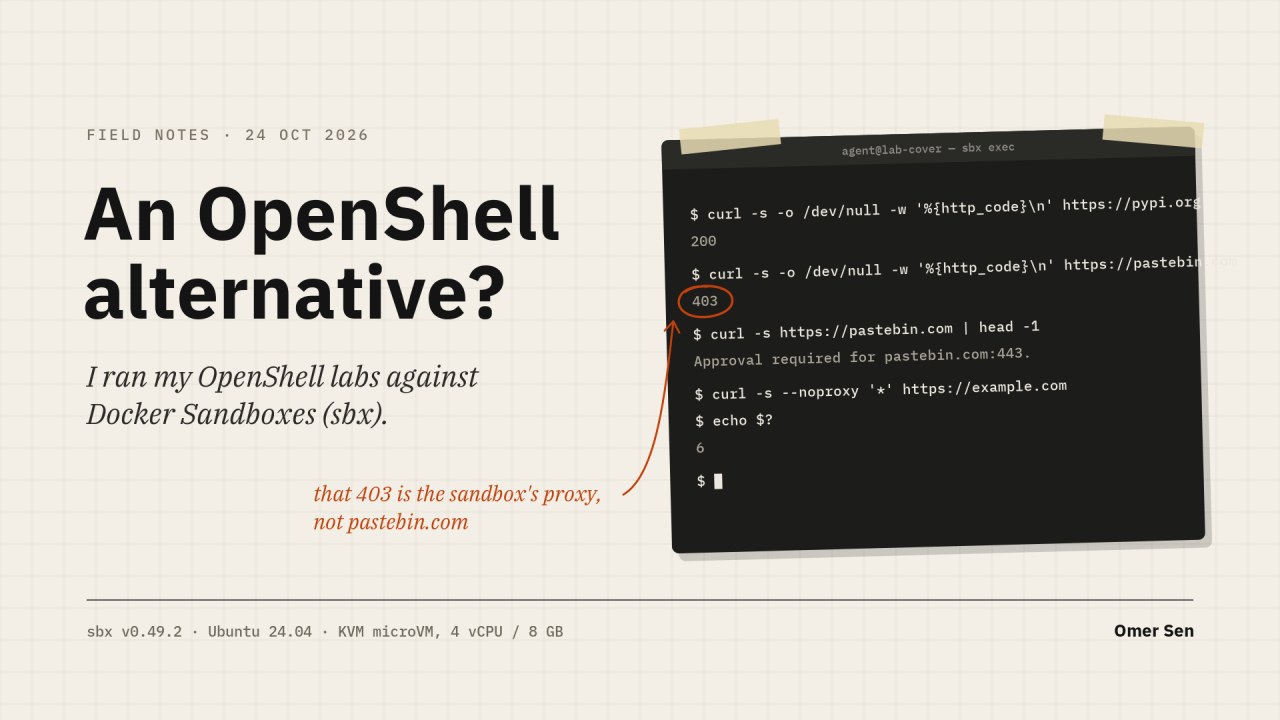
Last week I wrote about giving AI agents a seatbelt with NVIDIA OpenShell. The most common question afterwards was “is there an alternative?” The closest one today is Docker Sandboxes (sbx): it also puts a coding agent behind a default-deny network, keeps real keys out of the agent’s reach, and logs every decision. So I installed it on the same Ubuntu 24.04 VM and ran the same tests I use in the OpenShell course: network, credentials, host files and HTTP rules.
Short version: for a developer laptop it is a real alternative, and a better one than I expected. For agents that hold production credentials, OpenShell still does things sbx does not. The side-by-side is at the end.
What Docker Sandboxes is
Docker Sandboxes (sbx) runs a coding agent inside a microVM. Each sandbox has its own kernel, so the agent is not just another container sharing the host kernel. One command starts one:
sbx run claude .The current directory is mounted as the workspace. Built-in agents include Claude Code, Codex, Copilot, Cursor, Gemini, Kiro, OpenCode and a plain shell.
Around the microVM sit a network proxy, a secret store and a policy log, all on the host.
Install (Ubuntu 24.04)
The hard requirement is KVM. On a cloud VM, nested virtualization must be on.
ls -l /dev/kvm                       # must exist
sudo apt-get install docker-sbx      # from Docker's apt repository
sudo usermod -aG kvm $USER           # then log out and in (or reboot)
sbx login                            # Docker account, device code in the browser
sbx policy init balanced
Two things tripped me up:
- Log out after joining the kvm group. newgrp/sg is not enough: the sandbox daemon is started by your systemd user manager, which still has the old groups. The symptom is
KVM error: Permission denied (os error 13)in~/.local/state/sandboxes/sandboxes/sandboxd/daemon.log. - Login did not ask for a policy. The first
sbx policy lsfailed with “global network policy has not been initialized”.sbx policy init balancedfixed it.
On Linux without a desktop keychain, secrets are stored on disk protected by file permissions, and sbx says so.
Sizing. By default a sandbox gets all host CPUs and half the host RAM (minimum 512 MiB, maximum 75%). On my 4 vCPU / 8 GB VM each sandbox was given 3.9 GB, but used about 130 MB idle; two running sandboxes cost about 850 MB on the host. Creating one took 18 seconds with the image cached. 2 vCPU / 4 GB works for a single sandbox; 4 vCPU / 8 GB is comfortable.
Test 1: default-deny egress
The Balanced policy is deny by default with 194 allow rules: AI providers, package registries, GitHub, Docker Hub and cloud storage.
$ curl https://pypi.org              -> 200
$ curl https://pastebin.com          -> 403
$ curl https://example.com           -> 403
$ curl https://postman-echo.com/get  -> 403
Every decision is logged with a reason:
$ sbx policy log sbx-test
BLOCKED  pastebin.com:443  no applicable policies for op(action=net:connect:tcp, ...)  No matching allow rule (default deny)
ALLOWED  pypi.org:443      forward-bypass
Can the agent go around the proxy? I tried the usual tricks:
$ curl --noproxy '*' https://example.com   -> Could not resolve host
$ curl --noproxy '*' https://1.1.1.1       -> TLS connect error
$ echo > /dev/tcp/tcpbin.com/4242          -> No address associated with hostname
Hosts that are not allowed do not even resolve. The proxy is the only way out.
One thing to know about Balanced: it allows **.amazonaws.com and **.blob.core.windows.net. curl https://s3.amazonaws.com worked. So an agent can reach any S3 bucket or Azure blob, including one an attacker owns. For sensitive work, start from deny-all and add what you need.
Test 2: the agent never sees the key
For built-in services (anthropic, openai, github, openrouter and more) you store the key once on the host:
sbx secret set anthropicFor anything else there is an experimental custom secret. I used a dummy value:
$ sbx secret set-custom --sandbox sbx-test --host postman-echo.com \
   --env DEMO_TOKEN --value demo-secret-123
  Generated placeholder:  sbx-cs-kBVsJgbBOP9U46wq
Then, inside the sandbox:
# placeholder in a header, to the bound host
$ curl -H "Authorization: Bearer $TOKEN" https://postman-echo.com/headers
"authorization":"Bearer demo-secret-123"          <- swapped by the proxy

# same header, to another allowed host
$ curl -H "Authorization: Bearer $TOKEN" https://httpbin.org/headers
"Authorization": "Bearer sbx-cs-kBVsJgbBOP9U46wq" <- not swapped, request still sent

# placeholder in the query string or body, to the bound host
"key":"sbx-cs-kBVsJgbBOP9U46wq"                    <- not swapped
"token":"sbx-cs-kBVsJgbBOP9U46wq"                  <- not swapped
So the real value only ever goes to the host it is bound to, and only in headers. Sending the placeholder elsewhere is harmless: the other host just gets the placeholder. OpenShell takes a stricter line and refuses that request outright (credential_endpoint_mismatch), and it also swaps placeholders in Basic auth, query strings and paths.
Two small gotchas:
- A new sandbox gets the placeholder in its environment (
DEMO_GLOBAL=sbx-cs-...). A secret added to an existing sandbox does not show up in its environment, even after a restart; you have to set the variable yourself. --valueputs the secret in your shell history. Use--ref(1Password or AWS Secrets Manager) or--commandinstead.
Test 3: what the agent can see on the host
$ whoami; id
agent  uid=1000(agent) groups=...,27(sudo),1001(docker)
$ ls ~/.aws ~/.ssh ~/.config/gh   -> No such file or directory
$ ls /home/user                   -> articles      (only the path to the workspace)
$ mount | grep virtiofs
host on /home/user/articles/docker-sandboxes/ws type virtiofs (rw,...)
Only the workspace is shared with the host, at the same path, read-write. The agent has sudo and its own Docker inside the VM, but both stop at the VM boundary: docker ps inside the sandbox does not show the host’s containers. Inside the VM, the filesystem policy is “read and write everything” and cannot be changed from the CLI. The microVM is the boundary, not a per-path rule.
Extra folders can be mounted read-only with :ro.
Test 4: HTTP method and path rules
I expected host-only rules here. I was wrong. sbx has L7 rules:
sbx policy allow network --sandbox sbx-test httpbin.org \
  --method GET --path '/anything/**'
$ curl -X GET https://httpbin.org/anything/ok -> 200
$ curl -X POST https://httpbin.org/anything/ok -> 403 Approval required for httpbin.org:443.
$ curl -X DELETE https://httpbin.org/anything/ok -> 403
$ curl -X GET https://httpbin.org/headers -> 403The 403 also says Review and respond with: sbx policy approval ls. Every denial lands in an approval queue, where a person can allow or dismiss it:
$ sbx policy approval ls
POST httpbin.org:443/anything/ok   Method: POST  Path: /anything/ok  no matching allow rule   allow, dismiss
What it does not have is rules per program. curl and a Python script got exactly the same answer for the same request. In OpenShell I can say “gh may call the GitHub API, curl may not”.
Test 5: Claude Code inside
I stored an Anthropic API key on the host and created a Claude sandbox:
$ sbx secret set anthropic
$ sbx create claude ./ws5 --name sbx-claude      # 57 s, image pull included
Claude Code (2.1.306) comes preinstalled. Inside, $ANTHROPIC_API_KEY is empty. Claude is set up with an apiKeyHelper that prints proxy-managed, and the proxy puts the real key on the request on its way out. The key never enters the VM.
Then a small task: calc.py has add() returning a - b.
$ sbx exec sbx-claude -- claude -p 'calc.py has a bug in add(). Fix it, then
    run: curl https://example.org and tell me the result.'

I fixed the bug in calc.py ... add(2, 3) now returns 5.
The curl printed 403. That code comes from the sandbox firewall, not from
example.org: "Approval required for example.org:443."
21 seconds end to end. The fix was right, and Claude even explained the block and told me how to approve it. The policy log and the queue agree:
sbx-claude  example.org:443        No matching allow rule (default deny)
sbx-claude  api.anthropic.com:443  forward
$ sbx policy approval ls
example.org:443   allow (Allow), dismiss (Dismiss)
Three things surprised me:
- Claude runs in bypassPermissions mode by default, with the warning already accepted. No “may I run this?” prompts. The VM is the safety boundary, not Claude’s own permission system. That is a fair choice, but know it.
- There is a
GH_TOKENin every sandbox that looks like a real GitHub token. It is not one of mine and GitHub answers 401 to it. It is a stand-in so gh starts; it only works after you store a github secret. - A bad key fails slowly. My first stored key was wrong. Claude retried for about 4 minutes before printing “Invalid API key”. After I replaced the secret, the running sandbox sent Anthropic traffic through without any key for a few minutes, then picked up the new one by itself.
What I liked
- One command from nothing to an agent in a microVM, with its own kernel.
- Keys stay on the host, and the proxy cannot be bypassed.
- Method and path rules, a clear policy log, and an approval queue for what was blocked.
- Light: about 130 MB per idle sandbox.
What to watch
- KVM is required, and you must log out after joining the kvm group.
- A Docker account is required, even for local use.
- Balanced allows all of S3 and Azure Blob. Tighten it for sensitive repos.
- Claude starts in bypassPermissions mode. Only the VM and the proxy hold it.
- A wrong or replaced key takes minutes to show up. Test a key before you store it.
- Placeholders are swapped only in headers; a wrong-host placeholder is forwarded rather than refused.
- No rules per program, and no way to check a policy before you deploy it.
- Central policy profiles come from Docker’s paid governance tier.
OpenShell vs sbx
| OpenShell 0.1.4 | Docker Sandboxes (sbx 0.49.2) | |
|---|---|---|
| Isolation | Container + Landlock + seccomp | microVM, own kernel |
| Default egress | Deny | Deny (Balanced; allows all S3 and Azure Blob) |
| Proxy bypass | Blocked | Blocked (no DNS, direct IP fails) |
| HTTP rules | Method, path, GraphQL operation, MCP tool, WebSocket | Method, path |
| Rules per program | Yes | No |
| Key placeholders | Header, Basic auth, query, path | Headers only |
| Placeholder sent to wrong host | Refused (credential_endpoint_mismatch) | Forwarded unchanged |
| Host files | Landlock rules per path | Only the workspace is shared; the VM is the boundary |
| Learning from denials | Policy advisor drafts rules | Approval queue: allow or dismiss |
| Checking a policy | SMT prover | policy check for one request |
| Account needed | No | Docker account |
| Licence | Apache 2.0, self-hosted | Free CLI; governance paid |
My take. For a developer who wants to run Claude Code or Codex on a laptop without worrying, sbx is the easier start: one command, a real VM boundary, keys kept on the host, and good defaults once you tighten the cloud storage rules. OpenShell is the one I would pick when an agent holds real production credentials and I need to say exactly which program may call which endpoint, and prove it before deploying. The two are not exclusive: the strongest setup is an sbx microVM with OpenShell-style per-program rules inside it.
The OpenShell course, with all 19 labs, is at https://github.com/omerfsen/openshell.
Originally published by Omer Sen on LinkedIn, 24 October 2026.